Lesson Overview
Grade Level/Audience: This lesson plan is intended for young adults and adult learners, but could be applied to younger age groups as well. As a reminder, consult your physician for any health care concerns.
Subject: This lesson plan focuses on learning to plan healthy diet and exercise habits that can benefit long term.
Time Frame: This lesson should take no longer than 30 mins a day.
Content Standards: N/A
Technology Standards:
- ISTE 2: Digital Citizen – Students recognize the rights, responsibilities and opportunities of living, learning and working in an interconnected digital world, and they act and model in ways that are safe, legal and ethical.
- ISTE 5: Students develop and employ strategies for understanding and solving problems in ways that leverage the power of technological methods to develop and test solutions.
- ISTE 7: Global Collaborator – Students use digital tools to broaden their perspectives and enrich their learning by collaborating with others and working effectively in teams locally and globally.
Objectives:
- Given the diet planning activities, the learner will understand how different foods/beverages have different calorie counts and nutritional values and how that affects their daily goals.
- Given the exercise planning activities, the learner will determine what kind of exercise best fits into their schedule.
Description of Technologies Used:
- Static Technologies: (Free)
- YouTube Videos of example workout regimes.
- These videos and articles will be used to give insight into activities that the learner can do at home while teaching proper form and safety while working out.
- YouTube Videos of example workout regimes.
- Online Collaboration Tool: (Free)
- FlipGrid https://flipgrid.com/
- Flipgrid is the leading video discussion platform for millions of PreK to PhD educators, students, and families in 180+ countries. Create a Grid community for your classroom, school, PLC, #GridPals, families, and more!
- FlipGrid https://flipgrid.com/
- Mobile App: (Free)
- MapMyRun https://www.mapmyrun.com/us/
- This mobile application is a workout tracker/social media app. The app tracks more than just running workouts and has different challenges available, too.
- MapMyRun https://www.mapmyrun.com/us/
- Fitness Assessment Software: (Free)
- MyFitnessPal
- This app can be integrated with any of the other Underarmour apps like MapMyRun and is helpful to count calories assess one’s fitness and more.
- MyFitnessPal
Support Materials and Resources:
- Laptop with internet access (ability to access a web browser) and/OR
- Smart phone or tablet with internet access and texting capability
- Email address for each student
Lesson Description
This lesson can be done individually or as a class, however, this lesson plan is written in the format that the lesson would be completed in a classroom environment whether it is online or in person. This lesson is created to teach an understanding of how to plan fitness activities into the learner’s daily life. This includes nutrition and daily calorie intake as well as how exercise affects diet habits and which exercises work best for the learner’s lifestyle. The class is designed to meet daily for 30 mins and assigns 30 mins of homework for each day. This class will be completed over five days.
Instructor Pre-work: 30 mins
- Before starting the lesson, create a flipgrid page for learners to post, a MyFitnessPal account and a MapMyRun account so you can follow along and encourage your students.
Day 1 – 30 mins Stretching!

- Ask students to set up their accounts on the three tools we’ll be using. (10 mins)
- MapMyRun (App)
- MyFitnessPal(App or Online)
- FlipGrid (App or Online)
- Once everyone has an account they can choose to add each other as friends on MapMyRun or MyFitnessPal. The instructor should emphasize that it’s important to create a community of people with similar goals as you that can help drive accountability and encouragement. (10 mins)
- Fitness Instructional Video 1: Stretching (See below) (5mins)
- Students can follow along by copying the video in class or simply just watch. Each day a video will be played on different topics to teach the basics of safe and successful exercising.
- Grading for Daily Activity – 5 points total. 1 point for creating accounts on each app and 2 participation points by following along or watching the video.
- Day 1 Homework
- Each student will post a FlipGrid video stating their personal fitness goal.
- Each student will record their calorie intake for Breakfast/Lunch/Dinner on MyFitnessPal
- Each student will record a workout that is at least 15mins long on MapMyRun.
Day 2 – 30 mins Breathe!
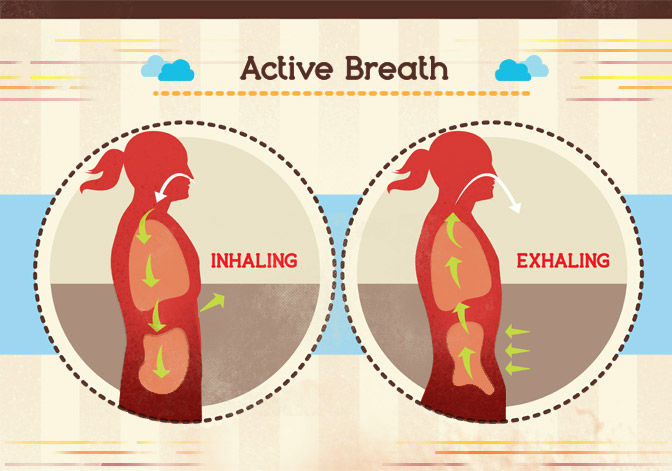
- Ask students to get in groups of 2 and reflect on what they have learned so far. (10 mins)
- What was most surprising about recording the daily meals?
- Did you try stretching before and after your workout? Do you feel it helped?
- Students will take time to review each others workouts completed the night prior and explore commenting on workouts, liking workouts, and exploring the MapMyRun app to see what other features the app has. (10 mins)
- Fitness Instructional Video 2: Breathing (See below) (10 mins)
- Students can follow along by copying the video in class or simply just watch. Each day a video will be played on different topics to teach the basics of safe and successful exercising.
- Grading for Daily Activity – 5 points total. 2 points for participating in reflection discussion, 1 point for taking time to explore the app, and 2 participation points by following along or watching the instructional video.
- Day 2 Homework
- Each student will post a FlipGrid video stating what type of workout is their favorite and which is their least favorite.
- Each student will record their calorie intake for Breakfast/Lunch/Dinner on MyFitnessPal
- Each student will record a workout that is at least 15mins long on MapMyRun.
Day 3 – 30 mins Balance!

- Ask students to get in groups of 2 and reflect on what they have learned so far. (10 mins)
- Did you find that other people liked/disliked the same workouts as you? Why do you think those workouts are liked/disliked? (From the FlipGrid videos)
- Did you try the breathing techniques during your workout? Do you feel it helped?
- Students will spend time researching workout methods and write down 5 workout methods and turn this in for credit. This will be used for the next day’s discussion. (15 mins)
- Fitness Instructional Video 3: Balance (See below) (5 mins)
- Students can follow along by copying the video in class or simply just watch. Each day a video will be played on different topics to teach the basics of safe and successful exercising.
- Grading for Daily Activity – 5 points total. 2 points for participating in reflection discussion, 1 point for taking turning in the research results, and 2 participation points by following along or watching the instructional video.
- Day 3 Homework
- Each student will post a FlipGrid video stating a type of extreme workout they would like to try (Ninja Warrior, Rock Climbing, Etc.)
- Each student will record their calorie intake for Breakfast/Lunch/Dinner on MyFitnessPal
- Each student will record a workout that is at least 15mins long on MapMyRun
Day 4 – 30 mins Strength!
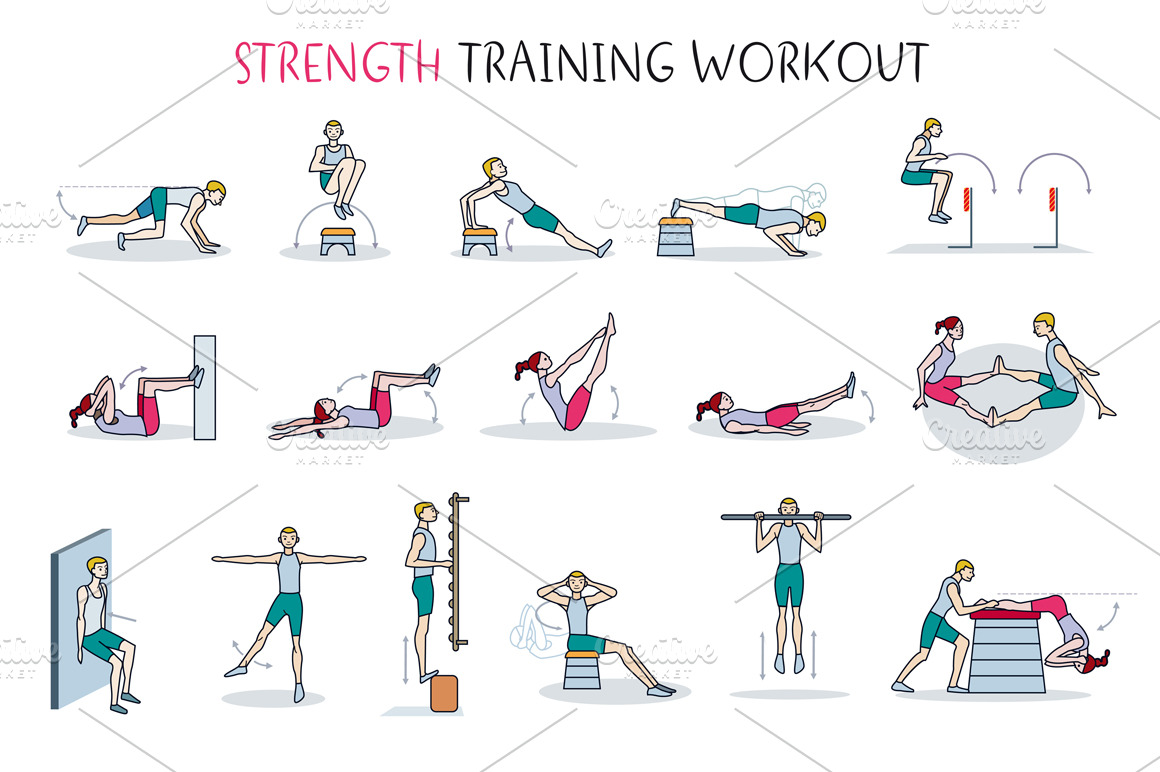
- Ask students to get in groups of 2 and reflect on what they have learned so far. (10 mins)
- Instructor – Use the research results from the day before and randomly select three lists. Read the list and ask the class if they have ever tried any of the workout methods on the list. This should spark discussion on favorite workouts/tips&tricks/etc.
- Instructor ask the class: Did you try the balancing techniques during your workout? Do you feel it helped?
- Students will spend time researching fitness apps/software and write down 5 apps/software and turn this in for credit. This will be used for the next day’s discussion. (15 mins)
- Fitness Instructional Video 4: Strength! (See below) ( 5mins)
- Students can follow along by copying the video in class or simply just watch. Each day a video will be played on different topics to teach the basics of safe and successful exercising.
- Grading for Daily Activity – 5 points total. 2 points for participating in reflection discussion, 1 point for taking turning in the research results, and 2 participation points by following along or watching the instructional video.
- Day 4 Homework
- Each student will post a FlipGrid video stating what type of workout is their favorite and which is their least favorite.
- Each student will record their calorie intake for Breakfast/Lunch/Dinner on MyFitnessPal
- Each student will record a workout that is at least 15mins long on MapMyRun
Day 5 – 30 mins Equipment!

- Ask students to get in groups of 2 and reflect on what they have learned so far. (20 mins)
- Instructor – Use the research results from the day before and randomly select three lists. Read the list and ask the class if they have ever heard of the apps/software on the list. This should spark discussion on favorite apps/tips&tricks/etc.
- Instructor ask the class: Did you try the stregnth techniques during your workout? Do you feel it helped?
- Fitness Instructional Video 5: Gym Equipment! (See below) (10 mins)
- Students can follow along by copying the video in class or simply just watch. Each day a video will be played on different topics to teach the basics of safe and successful exercising.
- Grading for Daily Activity – 5 points total. 2 points for participating in reflection discussion, and 3 participation points by following along or watching the instructional video.
- Day 4 Homework (30 mins)
- Each student will post a FlipGrid video stating what type of workout is their favorite and which is their least favorite.
- Each student will record their calorie intake for Breakfast/Lunch/Dinner on MyFitnessPal
- Each student will record a workout that is at least 15mins long on MapMyRun
 One Day Education